






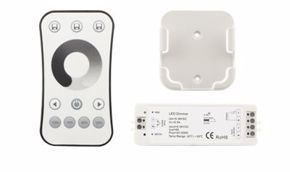
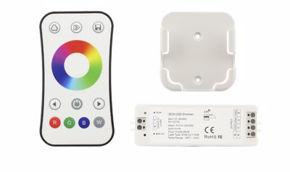
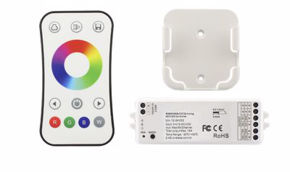
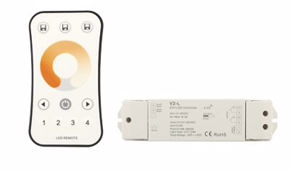
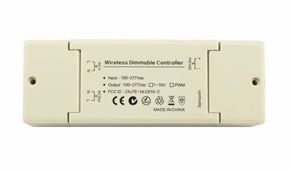
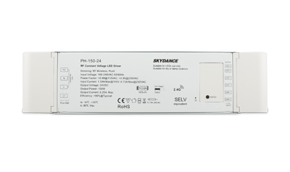
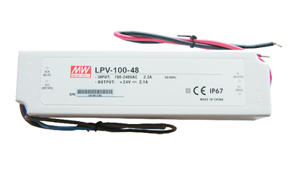
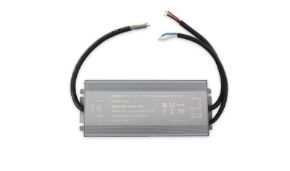
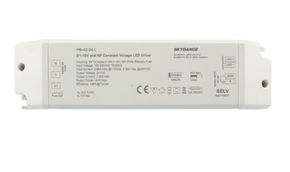
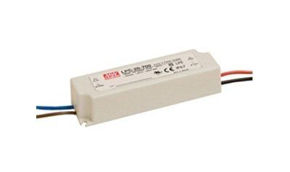

Skydance controller compatibility chart
In this guide you will find the Skydance controller compatibility table for every type of LED strip (single-color, CCT, RGB, RGBW, RGBCCT), a comparison of all communication protocols, a guide to integration with Home Assistant, Alexa, Google Home and Apple Home, and an interactive tool that, based on your strip type and home automation system, directly indicates the correct model.
This is because when it comes to smart LED lighting, the strip is only half of the system. The other half—the part that transforms a light strip into an intelligent, controllable element, integrable with the home automation of a house or an entire building—is the controller. Yet in practice, the controller is also the component most often chosen in a hurry: you check the amperage, verify it works with Alexa, and place the order. The result, a few weeks after installation, is often a list of compromises: the white channel of an RGBW strip that doesn't respond, Home Assistant automations that stop working when the Tuya cloud is under maintenance, or a Zigbee system that doesn't communicate with the building's KNX installation.
The LED controller market has evolved rapidly in recent years. Until recently, the choice was simple: RF with a physical remote control, or WiFi with an app. Today there are at least five relevant protocols (WiFi, RF, Bluetooth, Zigbee and Matter), each with its own characteristics, advantages and limitations, and the wrong choice isn't easily corrected once the aluminum profile is embedded in drywall. To this we add the variable of strip type: a controller for single-color strips is a fundamentally different device from one for 6-channel RGBCCT, not only in the number of outputs but in control logic, color scene management, and compatibility with various voice assistants.
Skydance is one of the most widespread brands in Europe in the professional and semi-professional LED controller segment, with a range that covers every combination of strip type and communication protocol. The consistency of the range (same form factor, same configuration logic, same Tuya app as a base) is one of the reasons it has become the reference choice for installers, designers, and home automation system integrators. But the very breadth of the catalog can be disorienting: dozens of models, unintuitive codes, WiFi and Zigbee versions of the same device, new Matter series joining previous ones without immediately replacing them.
📋 Skydance Controller Compatibility Table — Complete Overview
| Model / Series | Compatible Strip | Channels | Protocol / Control | Max A/ch | App / Platform | Alexa | HA | Matter | |
|---|---|---|---|---|---|---|---|---|---|
| SK-V1-K / SK-V2-K / SK-V3-K / SK-V4-K (RF series) | Single-color / CCT / RGB / RGBW | 1-4CH CV | RF 2.4GHz Skydance | 4A/ch | — (RF remotes) | ❌ | ❌ | ⚠️* | ❌ |
| SK-V4-D RF display | Single-color / CCT / RGB / RGBW | 4CH CV | RF 2.4GHz + display | 5A/ch | — (button + RF) | ❌ | ❌ | ⚠️* | ❌ |
| SK-V1-L / SK-V2-L / SK-V3-L / SK-V4 / SK-V5 RF IP20/IP67 | Single / CCT / RGB / RGBW / RGB+CCT | 1-5CH CV | RF 2.4GHz PWM | 5-15A/ch (model dependent) | — (RF remotes) | ❌ | ❌ | ⚠️* | ❌ |
| SK-V1-H / SK-V2-X / SK-V3-X / SK-V4-X RF High power | Single-color / CCT / RGB / RGBW | 1-4CH CV | RF 2.4GHz, selectable PWM | 8-20A/ch | — (RF + button) | ❌ | ❌ | ⚠️* | ❌ |
| SK-WF-RF Wi‑Fi to RF Converter | Single / CCT / RGB / RGBW / RGB+CCT | up to 16 zones | WiFi 2.4GHz → RF | — (gateway) | Tuya / Smart Life | ✅ | ✅ | ⚠️ | ❌ |
| SK-WT5 WiFi+RF 5in1 Controller | RGB, RGBW, RGB+CCT, CCT, Single | 5CH CV | WiFi + RF 2.4GHz | 3A/ch | Tuya APP | ✅ | ✅ | ⚠️ | ❌ |
| SK-WT1 WiFi+RF 2in1 Controller | CCT / Single-color | 2CH CV | WiFi + RF 2.4GHz | 5A/ch | Tuya APP | ✅ | ✅ | ⚠️ | ❌ |
| SK-WB5 Bluetooth+RF 5in1 | RGB / RGBW / RGB+CCT / CCT / Single | 5CH CV | BLE + RF 2.4GHz | 3A/ch | Tuya APP (BLE) | ✅ | ✅ | ⚠️ | ❌ |
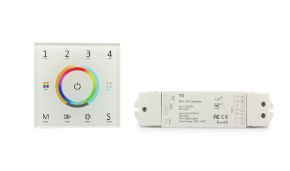
| Glass Touch RF Series (SK-Txx) | Single-color / CCT / RGB / RGBW | 1-4CH | RF 2.4GHz | — (integrated or dimmable) | — (RF remotes) | ❌ | ❌ | ⚠️* | ❌ |
| SK-SS-B / SK-SS-C RF AC socket / switch | AC single-color lamps (on/off) | 1CH relay | RF 2.4GHz (no dimmer) | 1.5A / 3A AC | — (RF remotes) | ❌ | ❌ | ⚠️ | ❌ |
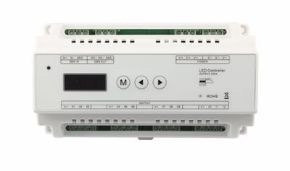
| DMX512 & RDM Decoder OLED 5CH/12CH/24CH DMX/RDM Series | Single-color / CCT / RGB / RGBW / RGB+CCT | 1-24CH (configurable) | DMX512 / RDM | up to 5A/ch | DMX console / standalone | ❌ | ❌ | ✅ (DMX gateway) | ❌ |
| DMX512 ➝ 0/1-10V Converter SK-DMX-010V | 0-10V / 1-10V power supplies | 1CH / multi | DMX512 → 0-10V | — (signal) | DMX console | ❌ | ❌ | ✅ | ❌ |
| DMX512 ➝ Triac AC Converter DMX Triac dimmer | Dimmable AC lamps (LED/incandescent) | 1CH leading/trailing | DMX512 → phase cut | 2A max | DMX master / stand-alone | ❌ | ❌ | ✅ | ❌ |
| DMX512 SPI Converter SK-SC5 / SK-SC+R9 | Digital SPI strips (WS2811, SK6812, etc) | Max 1024 pixels | DMX512 / SPI / RF 2.4G | 8A input | DMX / RF remote | ❌ | ❌ | ⚠️ | ❌ |
| SK-S1-B+R1 / SK-S1-L / SK-TR1 Triac RF AC Dimmer | Dimmable AC LED lights, halogen, incandescent | 1CH phase cut | RF 2.4GHz + Leading/Trailing edge | 1.5A / 2A AC | — (RF remotes / button) | ❌ | ❌ | ⚠️* | ❌ |
| Triac dimmable CV power supplies SK-TE-xx-xx | Constant voltage LED strips dimmable via Triac | 1CH CV (PWM) | Triac / ELV dimmable | 1A ~ 6.25A (model) | — (wall dimmer / RF Triac) | ❌ | ❌ | ⚠️* | ❌ |
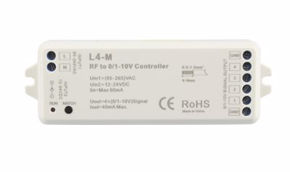
| 0/1-10V RF / rotary dimmer SK-T18-2 / SK-T18-3 / SK-KL | 0-10V / 1-10V power supplies | 1CH signal | 0/1-10V + optional RF | 20mA signal | — (knob / RF remotes) | ❌ | ❌ | ⚠️* | ❌ |
| 0/1-10V dimmable CV/CC power supplies SK-PB / SK-CC Series | Single-color / CCT LED strips | 1CH CV or CC | 0-10V / 1-10V / resistance | up to 12.5A (CV) | — (0-10V dimmer) | ❌ | ❌ | ⚠️* | ❌ |
| DALI controller / interface (DALI dimmer) | DALI power supplies / DALI LED drivers | 1-4CH | DALI-2 / DALI DT6/DT8 | — (bus signal) | DALI master system | ❌ | ❌ | ✅ (DALI gateway) | ❌ |
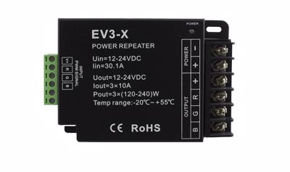
| PWM Amplifier 1-5 channels SK-AMP Series | CV LED strips (extends power) | 1-5CH CV (PWM in/out) | PWM repeater | up to 8A/ch | — (amplifier) | ❌ | ❌ | ⚠️* | ❌ |
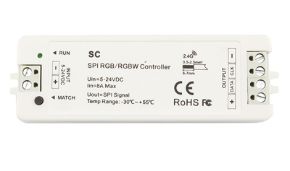
| Multi-pixel RGB SPI Controller SK-SC5 / SK-SC+R9 | Addressable digital RGB/RGBW strips (WS28xx, UCS, TM) | Max 1024 pixels | RF 2.4GHz / SPI (TTL) | 8A Max | Skydance RF remotes | ❌ | ❌ | ⚠️* | ❌ |
| SPI signal splitter SK-SA5 1→2 SPI outputs | Digital strips (data+clock) | — | SPI TTL splitter | — | — | ❌ | ❌ | — | ❌ |
| SKF3-S (IR KIT) 1CH IR Controller | Basic Single-color / CCT | 1CH CV | Infrared | 1.5A (max 4.5A total) | IR remote | ❌ | ❌ | ❌ | ❌ |
| DMX RF Master / rotary remote SK-XC-D / SK-XC+R9 | Control DMX decoders / DMX devices | max 510 channels | DMX512 master + RF | — | Skydance RF remotes | ❌ | ❌ | ⚠️* | ❌ |
| USB-DMX Interface (128/512ch) PC → DMX | DMX512 system | 128/512ch | USB → DMX512 | — | DMX software / standalone | ❌ | ❌ | ✅ (Qlc+, etc) | ❌ |
✅ Compatible | ⚠️ Partial (via cloud or non-native integration) | ❌ Not compatible | — Not applicable | *via KNX integration in HA
Wrong controller for LED strips: what happens?
A good reason to consider the Skydance controller compatibility table is that there are consequences and risks of damage when choosing the wrong product. Let's see what they are and how to recognize the symptoms before it's too late.
Wrong voltage
12V controller on 24V strip → dim or no light.
24V controller on 12V strip → immediate damage.
- the strip lights up abnormally bright for a few seconds;
- burnt LED chips, visible black spots;
- burning smell, risk of overheating and fire;
Insufficient power (Watts)
Controller with max current lower than the strip's actual consumption (too many meters connected):
- intermittent flickering;
- automatic shutdown after a few minutes (thermal protection);
- overheating connectors, melted plastic;
- permanent internal burnout of the controller.
Wrong dimmer (PWM vs phase cut)
Using a dimmer for classic bulbs (phase cut) or a rheostat on LED strips.
- audible buzzing (electromagnetic noise);
- persistent and annoying flickering;
- inability to adjust brightness linearly;
LED strips require PWM controllers (Pulse Width Modulation).
RGB / RGBW incompatibility
4-wire RGB controller on 5-wire RGBW strip (or vice versa):
- colors out of control: pressing red turns on green;
- white channel not working or random effects;
- absence of dedicated white (if using RGB on RGBW);
No physical damage, but unusable installation and incorrect management.
Analog ↔ Addressable
Common mistake: analog RGB controller with addressable strip (WS2812B, SK6812):
- addressable strip lights up with random fixed color;
- inability to create dynamic or rainbow effects;
- if using addressable controller on analog strip → risk of short on data pin;
Driver and functional confusion
Purchasing only a power supply (driver) thinking it has integrated dimming:
- no remote control, no remote operation;
- on/off only via mains switch;
- inability to adjust brightness or color;
To dim, you need a separate PWM controller or a driver with dimmable output.
3 fundamental parameters before purchase
Controller and strip same voltage
12V or 24V
Controller ≥ total strip Watts
Use max 80% of rated load
PWM for dimming, RGB 4-pin, RGBW 5-pin, addressable with dedicated protocol
Quick summary: symptoms and diagnosis
| Problem | Main symptom | Risk |
|---|---|---|
| Voltage too high | Extremely bright light for 2-3 seconds, then dead strip | Burnt LEDs, possible fire |
| Insufficient power | Intermittent flickering after warming up | Controller burns out, cable overheating |
| Non-PWM dimmer | Audible buzz and constant flickering | No hardware damage, but annoyance and ineffective dimming |
| RGB vs RGBW | Colors don't match, white missing | Only aesthetic malfunction, components intact |
Expert tip: if you've already purchased the wrong controller, always check the output label (V and A) and compare it with the strip. In case of doubt, use a tester to measure no-load voltage.
⚠️ Flickering and shimmering
Visible flickering isn't just annoying—it can cause eye strain and, in some cases, indicates an unstable controller or one incompatible with the capacitive load of LED strips. If you notice flickering, turn it off immediately and verify compatibility.
🔧 What to do if you've already made a mistake?
If the strip is still working but the controller is wrong (e.g., wrong voltage but not burnt), disconnect immediately. Replace with a suitable controller. If the LEDs are blackened or the power supply emits a burning smell, dispose of the damaged components properly.
Communication protocols: WiFi vs Zigbee vs Matter vs KNX
WiFi (Tuya / Smart Life)
Skydance WiFi controllers connect directly to your home's 2.4GHz WiFi network. They are the simplest to install: just the Tuya app and WiFi credentials. The weak point is dependence on the Tuya cloud: if the server is offline, the controller won't respond to remote commands. They always work locally via the app, but integration with Alexa and Google requires an internet connection.
Zigbee (Zigbee 3.0)
Skydance Zigbee controllers don't connect directly to WiFi but require a Zigbee hub (Philips Hue Hub, SONOFF Zigbee Bridge, Conbee II + zigbee2mqtt, etc.). The advantage is total cloud independence: everything works locally even without internet. Latency is lower and the Zigbee mesh network is more reliable than WiFi in installations with many devices.
Matter
Matter is the smart home protocol developed by Apple, Google, Amazon, and the CSA. Skydance Matter controllers connect via WiFi or Thread (a low-power mesh radio protocol) and are natively compatible with all ecosystems without third-party cloud accounts. Matter is the best choice for future-proof installations.
KNX
Skydance KNX controllers are designed for professional building installations with KNX wiring (2-wire TP bus). They require configuration via ETS software by a certified KNX installer. They offer maximum reliability, integrability with HVAC, intrusion detection, and BMS supervision systems. They don't require any cloud.
Table: when to choose which protocol
| Scenario | Recommended protocol | Reason |
|---|---|---|
| Simple home, app control | WiFi Tuya | Immediate installation, no additional hub |
| Integration with Alexa or Google Home | WiFi Tuya | Tuya skill already integrated in Alexa and Google Home |
| Home Assistant (no cloud) | Zigbee | Local, no dependence on external clouds |
| Apple Home (HomeKit) | Matter | Native integration without intermediate bridges |
| New installation, multi-ecosystem | Matter | Open standard, works with all assistants |
| Apartment with many smart devices | Zigbee | Mesh network more stable than WiFi with dozens of devices |
| Building installation with KNX/BMS | KNX | Professional integration with existing KNX bus |
| Hotels, offices, restaurants with programmed scenes | KNX or Zigbee | Maximum reliability, complex scenes |
| RF (physical remote without internet) | RF 2.4GHz | Total independence from network and cloud, physical remote |
Skydance and Home Assistant: integration guide
Method 1 — Zigbee via Zigbee2MQTT (recommended)
With a compatible USB Zigbee dongle (e.g., SONOFF Zigbee 3.0 USB Dongle, ConBee II) and the Zigbee2MQTT add-on on Home Assistant, Skydance Zigbee controllers integrate natively as light entities. No cloud, no external account, latency under 100ms.
Method 2 — WiFi via Tuya Local integration
Skydance WiFi controllers can be integrated into Home Assistant via the Tuya Local (or Local Tuya) integration, which communicates directly with the device on the local network without going through the Tuya cloud. Requires the device's local key (retrievable from the Tuya Developer account).
Method 3 — Matter (HA 2023.12+)
Skydance Matter controllers are added directly in Home Assistant via Settings → Devices → Matter. No additional configuration, fully local operation over Thread or WiFi.
Difference between PWM controllers and DMX512 controllers
| Feature | PWM Controller (Skydance) | DMX512 Controller |
|---|---|---|
| Output signal | Direct PWM to strip | DMX512 signal (RS-485 protocol) |
| Installation | Direct, plug & play | Requires DMX decoder and bus wiring |
| Max channels | 1–6 channels per controller | 512 channels per universe (unlimited with bridge) |
| Scene management | App, automations, schedules | DMX console, control software |
| Cost | Moderate (€30–150) | Higher (console + decoder) |
| Typical application | Residential, retail, hotels, offices | Theaters, nightclubs, large events, architecture |
| Home automation integration | WiFi / Zigbee / KNX / Matter | Art-Net / sACN (IP-DMX) |
Frequently asked questions about Skydance controllers
Yes. Skydance Zigbee controllers (SZx) integrate with Home Assistant via Zigbee2MQTT or ZHA without cloud. WiFi models work via Tuya Local. New Matter models are natively compatible with Home Assistant 2023.12+.
For standard RGB strips: SR-1009EA (WiFi, Tuya, 4A/ch, 12-24V) or SZS-RGB for Zigbee integration with Home Assistant. For Matter installations: SML-RGB Matter.
Yes, Skydance has introduced the SML series with Matter over WiFi firmware. Compatible with Apple Home, Google Home, Alexa, and Home Assistant without intermediate hubs.
Yes. All Skydance WiFi controllers are compatible with Alexa and Google Home via the Tuya Smart app. Matter models are natively compatible. A Tuya account and 2.4GHz WiFi connection are required.
PWM controllers (like Skydance) modulate the signal directly to the strip: ideal for residential and commercial use. DMX controllers receive a DMX512 signal from a console: used in professional installations with hundreds of independent channels (theaters, nightclubs, large architectural projects).
🎛️ Skydance Controller Finder Tool
Select your LED strip type and home automation ecosystem — we'll find the perfect controller from the official Ledpoint catalog.
For power amplification (>6A/ch) we recommend Skydance PWM amplifiers (SK-AMP series 1-5 channels) to pair with the selected controller.
Skydance controller compatibility table: prevention is better...
Choosing an LED controller isn't a secondary decision: it's the point where physical installation meets the digital world, and upon which depends not only the daily operation of the system, but also its longevity, expandability, and degree of integration with the rest of the smart home.
An oversized controller in terms of amperage guarantees years of silent operation; a well-chosen protocol today (Zigbee or Matter instead of cloud-dependent WiFi) saves future problems when the manufacturer decides to shut down servers or change APIs.
The Skydance range coherently covers every scenario, from a single-color dimmer in a bathroom to RGBCCT KNX systems in a boutique hotel, while maintaining a quality/price ratio hard to beat in the European market. If you're still undecided, use the tool or comparison table on this page to find the model in seconds, or contact the Ledpoint team directly: knowing your strip, your installation, and your expectations is the fastest way to give you the right answer on the first try.