







Dmx: what is it for?
How can we explain the potential of DMX? Imagine being able to control hundreds, even thousands, of lights with the precision of an orchestra conductor: every intensity, every color, every movement perfectly synchronized. This is the power of this protocol—the universal standard that has revolutionized lighting control in theaters, concerts, events, and architectural installations.
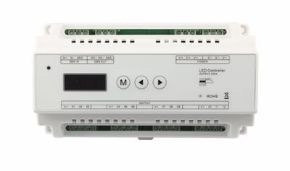
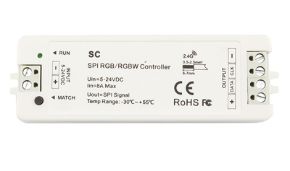
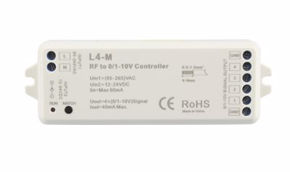
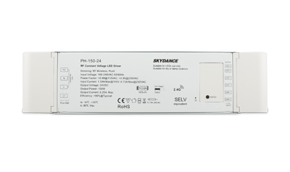
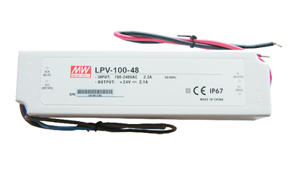
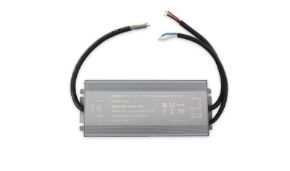
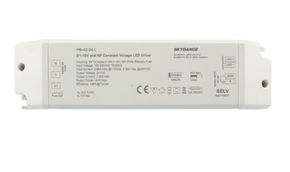
Today, in this comprehensive guide, we’ll explore every aspect of DMX—from its meaning to practical applications—covering controllers, decoders, and signals. In professional lighting, DMX represents the common language that enables devices from different manufacturers to communicate with each other. Whether it’s a simple dimmable LED strip or a complex system of motorized projectors, DMX ensures unprecedented absolute control and creative flexibility. This guide stems from Ledpoint’s experience in providing complete lighting solutions, including the DMX decoders in our catalog that allow you to transform simple LED strips into dynamic, precisely controllable systems. DMX stands for Digital Multiplex, a term that encapsulates the essence of this technology: digital because it uses binary signals, and multiplex because it combines multiple channels of information into a single data stream. The DMX512 protocol (where 512 indicates the number of available channels per DMX "universe") was originally developed by the USITT (United States Institute for Theatre Technology) in 1986 as a standard to replace earlier analog 0–10V systems. The first official version (DMX512/1990) was later updated in 2004 (ANSI E1.11 – 2004) and again in 2008 (ANSI E1.11 – 2008), adding new features and improving reliability. Born from the needs of professional theaters, DMX quickly spread across all sectors of controlled lighting: live events, concerts, architectural installations, museums, retail, and high-end residential applications. Its universal adoption is guaranteed by the fact that it’s an open, non-proprietary standard that enables interoperability between devices from different manufacturers. Now let’s examine how the dynamic DMX protocol works and what kind of signal it uses to deliver top-tier lighting control and management. The DMX512 protocol uses a serial digital signal transmitted at 250 kbit/s (250,000 bits per second) with a precise data packet structure. Each DMX packet begins with a Break (a signal interruption) followed by a Mark After Break (MAB), which together form a reset signal indicating the start of a new packet. Next comes the Start Code (normally zero for standard DMX512), followed by up to 512 data slots, each representing one DMX channel. Each slot contains a value between 0 and 255 (8 bits) corresponding to a specific parameter of a lighting fixture. Precise timing is essential for proper DMX operation. Key timing characteristics include: This timing scheme ensures all devices on the DMX line receive data synchronously and correctly interpret each channel’s values. To truly understand how a simple cable can orchestrate hundreds of lights, it’s essential to delve into the nature of the signal traveling through it. The DMX signal is not a simple analog command but a structured, precise digital data stream. In this section, we’ll explore its fundamental electrical characteristics, its noise-resistant transmission method, and how this “language” is encoded so every device in the chain can understand it. Understanding the signal is key to troubleshooting installations and maximizing system potential. The DMX signal is a balanced digital signal that uses differential voltage to reduce susceptibility to electromagnetic interference. Following the EIA-485 (RS-485) standard, DMX uses a pair of wires (Data+ and Data–) to transmit the signal, plus a ground wire (Common). Signal voltage typically ranges between –7V and +12V, with at least a 200mV difference between the two logic states (0 and 1). This feature allows the DMX signal to travel long distances (up to 1,000 meters under ideal conditions) while maintaining data integrity. Balanced transmission is crucial for noise immunity: any electromagnetic noise coupling onto the transmission line affects both Data+ and Data– conductors equally. The receiver only measures the difference between the two signals, effectively canceling out common-mode noise. This makes DMX especially suitable for electrically “noisy” environments like concert stages or industrial installations. A quality DMX cable must meet precise technical specifications to ensure signal integrity over long runs. Unlike standard microphone (XLR) cables that may look similar, DMX cables are engineered with specific features: The 110 Ω characteristic impedance is perhaps the most important feature distinguishing a DMX cable from a microphone cable. This impedance must match the output impedance of the DMX controller and the input impedance of receiving devices to minimize signal reflections (similar to echoes in a cable). Reflections can cause data errors and limit the maximum DMX line length. A DMX cable primarily serves to transmit the digital control signal from the controller to lighting fixtures, ensuring signal integrity and protection from interference. But its functions go beyond simple transmission: 1. Daisy-chain connection: The most common DMX topology involves daisy-chaining devices, where the DMX cable connects the controller output to the first fixture, then from the first to the second, and so on until the last device in the chain; 2. Line termination: A terminator (a 120Ω resistor between pins 2 and 3 of the XLR connector) must be connected to the last device in the DMX chain to prevent signal reflections that could cause errors; 3. Signal distribution: In complex systems, DMX cables can connect to optical or electronic splitters that duplicate the signal to feed multiple independent DMX lines. A DMX cable operates on the principle of differential serial transmission. The DMX controller generates a signal that travels through the cable, reaching all connected devices. Each device “listens” to the continuous data stream and extracts the values of the channels it’s configured to respond to. The bus (daisy-chain) topology is the most widely used because it’s simple and effective: each device has a DMX IN input and a DMX OUT (THRU) output that passes the signal to the next device. This configuration requires all devices to have unique DMX addresses and the last device in the chain to be properly terminated with a resistor. In real-world installations, several issues can compromise DMX line performance: 1. Signal reflections: When cable impedance doesn’t match the input/output impedances of devices, part of the signal reflects back, causing errors. Solution: Use quality DMX cables (110Ω) and terminate the last device; 2. Signal loss over long distances: Beyond 300–500 meters, signal attenuation can become significant. Solution: Use DMX signal repeaters or optoisolators to regenerate the signal; 3. Ground loops: Ground potential differences between devices can introduce noise. Solution: Use DMX optoisolators to galvanically isolate devices. A DMX controller is the brain of the lighting system—the device that generates and sends control signals to all connected fixtures. DMX hardware controllers (consoles) are dedicated devices specifically designed for lighting control, with interfaces optimized for quick, intuitive use during shows and events. DMX consoles fall into two main categories: two-button chase controllers for simple applications with preset sequences, and full programmable consoles with faders, encoders, displays, and the ability to store complex scenes. A professional DMX console offers numerous advanced features: • Fixture library: A database containing specifications for thousands of lighting fixtures to simplify programming; • Dimmer and RGB/RGBA/RGBW color control: Full management of all luminous parameters; • Timecode and synchronization: Precise sync with audio and video for complex shows; • Backup and redundancy: Systems to ensure show continuity even in case of failure; DMX software controllers are programs that run on standard computers, using USB-DMX or Ethernet-DMX interfaces to connect to the DMX network. They offer greater flexibility and advanced features at lower costs than hardware consoles, though they may be less immediate to use during live performances. Popular DMX software includes QLC+, Daslight, Lightkey, and Martin M-PC. These programs allow you to visualize changes in real time, create complex sequences with timelines, and control large-scale systems with thousands of channels. A DMX decoder is a device that converts the DMX signal into commands understandable by non-native DMX lighting fixtures, such as dimmable LED strips, constant-current LED drivers, or relays for on/off load control. DMX decoders are essential for integrating non-DMX devices into a DMX system. In Ledpoint products like dimmable LED strips, DMX decoders enable independent control of color channels (RGB, RGBW, RGBA), intensity, dynamic effects, and preprogrammed sequences, transforming a simple LED strip into a dynamic, programmable lighting system. There are several types of DMX decoders for various applications: Each DMX decoder must be configured with a unique DMX address that determines which DMX channels it will control. For example, if a 3-channel decoder (e.g., for RGB) is set to address 1, it will control DMX channels 1 (Red), 2 (Green), and 3 (Blue). The next decoder must therefore be set to address 4 or higher to avoid conflicts. Modern decoders offer various configuration methods: DIP switches (toggle switches) for binary address setting, LCD displays with menus, or software-based configuration via dedicated interfaces. Some decoders also support automatic addressing (RDM – Remote Device Management), allowing the controller to automatically identify and configure devices on the DMX line. A complete DMX system consists of several elements working together to enable precise lighting control: 1. DMX controller: Generates and transmits control signals (hardware console or software); 2. DMX interface: Converts the controller signal to DMX512 format (USB-DMX, Ethernet-DMX, wireless DMX); 3. DMX cables: Transmit signals between controller and devices (typically 5-pin or 3-pin XLR); 4. Receiving devices: Fixtures with native DMX input or DMX decoders for non-DMX fixtures; 5. Accessories: Splitters, optoisolators, repeaters, terminators to optimize the system. DMX systems can be configured in various topologies depending on requirements: • Daisy chain: The simplest and most common topology, where each device is connected in series. Limitation: If one device fails or is removed, all downstream devices lose signal; • Star topology with splitter: A DMX splitter divides the signal into multiple independent lines. Advantage: A fault on one line doesn’t affect others. Required for large installations; • RDM (Remote Device Management): An extension of DMX512 enabling bidirectional communication to monitor and remotely configure devices. A single DMX universe can control up to 512 channels, but this limit is quickly exceeded in complex installations. To manage thousands of channels, multiple DMX universes are used, where each universe is an independent DMX stream transmitted over a separate physical line or via protocols like Art-Net or sACN over Ethernet. Professional DMX controllers can manage 4, 8, 16, or more simultaneous universes, enabling control of systems with thousands of devices. Protocols like Art-Net (for Ethernet networks) and sACN (Streaming ACN) allow multiple DMX universes to be carried over a single network infrastructure, simplifying cabling and distribution. The DMX512 protocol sends data in packets (frames) that repeat continuously, typically at frequencies between 20Hz and 44Hz (20–44 times per second). Each packet contains all the information needed to control all connected devices. The complete structure of a DMX512 packet is: 1. Break: Signal of at least 88µs indicating the start of a new packet 2. Mark After Break (MAB): Pause of at least 8µs after the Break 3. Start Code: Byte indicating data type (0 for standard DMX512) 4. Data slots 1–512: Values from 0 to 255 for each DMX channel 5. Mark Time Between Frames (MTBF): Pause between the end of one packet and the start of the next Each DMX channel carries an 8-bit value (0–255) interpreted by devices based on their configuration: • For dimmers/dimmers: 0 = light off, 255 = maximum intensity • For moving position control: 0 = minimum position, 255 = maximum position • For effect/gobo selectors: Value ranges correspond to different effects (e.g., 0–15: effect 1, 16–31: effect 2, etc.) • For RGB color control: Separate channels for Red, Green, Blue, each with values 0–255 DMX was born for the theater and remains the absolute standard for professional stage lighting. In theater, DMX controls traditional projectors, LEDs, moving fixtures, special effects (fog, fire), and is often synchronized with audio and stage automation. Lighting operators use programmable DMX consoles to store “cues” that can be recalled during performances, with customizable fade times for each transition. DMX enables complex atmospheres that evolve with the theatrical narrative. In concerts, DMX controls not only stage lights but also laser systems, LED videowalls, fog machines, and pyrotechnic effects. DMX is often synchronized with music via timecode, enabling perfectly timed sequences that follow the song’s rhythm and dynamics. For complex events like festivals or international tours, multi-universe DMX and protocols like Art-Net over fiber optics are used to distribute control across large areas with hundreds of fixtures. In architectural lighting, DMX enables dynamic luminous scenographies on building facades, bridges, and monuments. DMX decoders for RGB LED strips are particularly popular for these applications, enabling complex chromatic effects and programmed animations. In commercial settings, DMX controls lighting in stores, showrooms, museums, and art galleries, allowing atmosphere adjustments based on time of day, season, or event type. DMX often integrates with building automation systems (KNX, BACnet) via dedicated gateways. In luxury homes, DMX offers greater control and customization than standard smart home systems. It’s used for illuminated pools, home theaters, hobby rooms, and general lighting with dynamic effects. DMX-KNX or DMX-DALI gateways allow DMX lighting control to integrate into comprehensive smart home systems, controllable via smartphone apps, voice commands, or automated scenes based on schedules, occupancy, or weather conditions. Native DMX fixtures are designed with built-in DMX interfaces and can be controlled directly via DMX signal without external decoders. They fall into several categories: Many modern DMX fixtures support multiple operating “modes” that determine how many DMX channels they use and how they interpret them. A moving head might offer a 12-channel mode (basic), a 16-channel mode (advanced with more effects), and a 20-channel mode (full functionality). Choosing the operating mode allows you to optimize DMX channel usage: simpler systems use basic modes with fewer channels, while complex systems use advanced modes to leverage all fixture capabilities. Many common lighting fixtures lack native DMX interfaces but can be controlled via DMX using appropriate decoders. This category includes: • Dimmable LED strips: Like those in the Ledpoint catalog, controlled via DMX decoders for intensity and color; • Constant-current/voltage LED drivers: For controlling LED modules, panels, and spotlights with separate power supplies; • Relays and contactors: For ON/OFF control of conventional lights, motors, or other loads; • Motors and linear actuators: For controlling curtain positions, movable walls, or scenery. The number of required DMX channels varies greatly by application. Here are some real-world examples: When sizing a DMX system, it’s important to consider not only channel count but also: • Update frequency: Systems with many devices may require reduced update rates to avoid delays; • Physical topology: Total DMX cable length should not exceed 1,000 meters without repeaters; • Electrical load on DMX outputs: Each DMX output can drive a limited number of inputs (typically 32 devices); • Synchronization between universes: In multi-universe systems, temporal synchronization across all devices is critical. The difference between a DMX installation that works flawlessly for years and one plagued by intermittent issues often lies in quality details and adherence to best practices. This section focuses on aspects that transform a collection of connected components into a professional, reliable system. We’ll explore technical standards and certifications ensuring device interoperability—from cable specs to connectors. Most importantly, we’ll share a proven set of practical rules for installation, cabling, and maintenance, along with a systematic troubleshooting guide to diagnose and resolve common issues like flickering lights or unresponsive fixtures. DMX system quality depends on compliance with technical standards and component certifications. The primary standard is ANSI E1.11 – 2008 (R2018) "USITT DMX512-A", which defines all electrical, mechanical, and protocol specifications. Quality DMX cables should be certified to EIA-485 (RS-485) for data transmission and meet optimal specs for characteristic impedance (110Ω ±10%), capacitance (<65 pF/m), and shielding (≥85% coverage). 5-pin XLR connectors should comply with DIN 56930. To ensure reliable DMX system operation, follow these best practices: 1. Always use dedicated DMX cables, never microphone or audio cables—even if connectors appear compatible; 2. Always terminate the last device in the chain with a 120Ω resistor between Data+ and Data–; 3. Avoid ground loops by using optoisolators when connecting devices with different power supplies; 4. Limit chain length to 300–500 meters without repeaters, even though 1,000m is theoretically possible; 5. Protect outdoor DMX lines from electrostatic discharge and lightning with appropriate protectors; 6. Test the entire system at full capacity before final installation. A well-designed DMX system requires minimal maintenance, but it’s important to diagnose and resolve common issues: Symptom: Flickering or erratic lights Possible causes: Signal reflections (missing terminator), electromagnetic interference (unshielded cables near power lines), ground loops (potential differences between devices). Symptom: Some devices unresponsive Possible causes: Duplicate DMX addresses, faulty or disconnected DMX cable, defective device, exceeding device limit per line (typically 32). Symptom: Partial system operation Possible causes: Excessively long cable without repeaters, insufficient decoder power supply, software/hardware configuration issues. Despite being a decades-old technology, DMX continues to evolve and adapt to market demands. Integration with IoT (Internet of Things) technologies enables cloud-based remote control, fixture status monitoring, and adaptive lighting algorithms based on environmental sensors or external data. Protocols like Art-Net 4 and sACN (Streaming Architecture for Control Networks) are bringing DMX into the IP networking era, enabling hundreds of DMX universes to run over standard network infrastructures—with benefits in flexibility, redundancy, and remote diagnostics. Remote Device Management (RDM) is an extension of DMX512 that adds bidirectional communication while maintaining compatibility with traditional DMX devices. With RDM, you can: • Automatically identify and inventory all devices on a DMX line; • Remotely configure DMX addresses, operating modes, and parameters without physical access to devices; • Monitor fixture status (temperature, operating hours, fault conditions); • Update firmware over the DMX line without disassembling fixtures. The future of DMX involves deeper integration with other building automation and environmental control systems. Increasingly sophisticated gateways enable interoperability between DMX, DALI, KNX, BACnet, and wireless protocols like Zigbee and Bluetooth Mesh. In the Ledpoint catalog, this evolution translates into ever-smarter DMX decoders with automatic scheduling, response to occupancy and ambient light sensors, and integration with home and building automation systems. This direction ensures DMX will remain relevant even in the most modern, tech-forward installations. DMX, with its conceptual simplicity yet powerful applicability, continues to prove itself an irreplaceable standard in the lighting control world. Whether for a small retail space or a major international event, deep understanding of the DMX protocol, controllers, decoders, and signals remains essential for designing, installing, and managing professional, reliable, and creatively powerful lighting systems.What does DMX mean? Origins and definition
The acronym and its history
From theater to modern technology
What is the DMX protocol? Technical structure
DMX signal format
Timing and synchronization
Element Minimum Time Maximum Time Description Break 88 µs 1 s Reset signal marking the start of a packet Mark After Break (MAB) 8 µs 1 s Time between Break and Start Code Start Code 44 µs - Indicates data type (0 = standard DMX) Slot Time 44 µs - Time per channel (512 total) Full Frame 23 ms 1 s Time for a complete 512-channel packet
What is a DMX signal? Characteristics and transmission
The DMX electrical signal
Immunity to interference
What is a DMX cable? Specifications and characteristics
Often mistaken for a standard audio cable at first glance, a DMX cable is actually a critical, specialized component whose quality directly determines the reliability of the entire lighting control system. It’s not just a “tube” carrying data but infrastructure designed to preserve digital signal integrity over long distances and in electrically noisy environments. In this section, we’ll analyze the technical specifications that define it, highlight crucial differences from other cables, and examine its essential role in ensuring error-free communication between the controller and every lighting fixture.
Construction of a professional DMX cable
Characteristic Professional DMX Cable Microphone (XLR) Cable Importance Characteristic impedance 110 Ω ±10% Various (typically 45–75Ω) Impedance matching reduces reflections Capacitance between conductors < 65 pF/m Usually higher Lower capacitance = better frequency response Shielding Double shielding (foil + braid) Single shielding Optimal protection from interference Signal conductors Balanced twisted pair Single balanced conductor Common-mode noise immunity Connectors 5-pin XLR (3-pin for basic DMX) 3-pin XLR Compatibility with DMX512 standard
The crucial difference: characteristic impedance
What is a DMX cable used for?
How does a DMX cable work? Transmission principles
Knowing the specifications of a DMX cable is only the first step: to truly master this technology, you must understand the physical principles governing signal transmission within it. How do electrical pulses represent such complex commands and travel without degrading? In this section, we’ll examine the mechanisms of differential serial transmission, the "daisy chain" topology that characterizes DMX installations, and common practical issues that can compromise communication—along with their technical solutions. It’s this knowledge that transforms an installer from a mere cable runner into a problem solver.
Data transmission and topologies
Common problems and solutions
What is a DMX controller? Types and features
If the DMX cable is the system’s “nervous network” and decoders are its “interpreters,” the DMX controller is undoubtedly its “brain.” It’s the central control point where creativity, programming, and real-time command converge. In this section, we’ll explore the world of controllers—from dedicated hardware consoles with physical buttons and faders to powerful software running on computers—analyzing their types, key features, and how to choose the right tool based on installation complexity and operator needs.
DMX hardware controllers: dedicated consoles
Features of professional consoles
DMX software controllers: flexibility and power
DMX decoders: the bridge between signal and fixtures
The true power of DMX lies in its universal capability: controlling almost any electrical device—not just those natively “intelligent.” This interoperability miracle is made possible by a component often underestimated but essential: the DMX decoder. Think of it as a specialized translator that listens to the universal DMX data stream, extracts commands for a specific address, and converts them into a language understandable by lights, motors, or relays. In this section, we’ll discover how these devices work, the various types for different applications, and the key configuration and addressing process that gives each fixture a unique identity on the network.
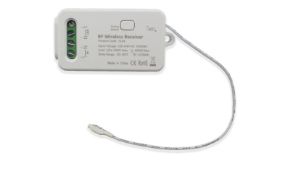
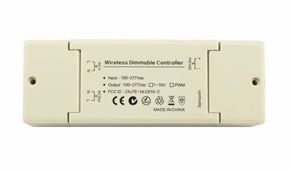
What are DMX decoders and what are they used for?
Types of DMX decoders
Decoder Type Outputs Typical Applications DMX Channels Dimmer Decoder 1–4 outputs (0–10V or PWM) LED dimming, motor control 1–4 channels RGB/RGBW Decoder 3–4 PWM outputs for color channels RGB LED strips, color spotlights 3–5 channels Pixel Decoder Pixel data output (WS2811, etc.) Pixel LED strips, LED videowalls Multiples of 3 per pixel Relay Decoder ON/OFF relay outputs ON/OFF light control, motors 1 channel per relay
Decoder configuration and addressing
How does a DMX system work? Complete architecture
After examining individual components—signals, cables, controllers, and decoders—it’s time to put the pieces together and view the big picture. A DMX system functions like a well-orchestrated organism, where each part plays a precise role within a flexible architecture. Now we’ll define a system starting from its core elements, explore different wiring topologies—from simple linear chains to complex star configurations—and address the concept of “universes,” the solution for managing thousands of channels beyond the 512-per-line limit. Understanding this global architecture is essential for designing scalable, reliable, and easy-to-manage installations.
Components of a complete DMX system
Connection types
DMX universes and large system management
How does the DMX protocol work? Technical details
To appreciate the elegant simplicity and robustness of DMX, we must dive into the code, rhythm, and data structure flowing through the cable. The DMX protocol isn’t a chaotic stream of information but a highly structured data packet—a continuously repeated “sentence” that every device knows how to read and interpret. In this section, we’ll analyze the exact format of this packet, the meaning of Break, Start Code, and data slots, and how a series of values from 0 to 255 translates into intensity, color, movement, and effects. Understanding this machine language enables troubleshooting and unlocks every fixture’s full potential.
Data packet structure
Channel value interpretation
When is DMX used? Practical applications
A technology’s true power is measured by its ability to solve real-world problems. The DMX protocol, with its reliability and flexibility, has found applications far beyond the theatrical stage for which it was conceived. This section explores the many scenarios where DMX becomes the obvious choice: from theaters and concerts, where perfect synchronization with performance is vital, to architectural installations that turn buildings into dynamic luminous canvases. We’ll see how its ability to precisely control intensity, color, and movement makes it indispensable in high-end retail, museums, and even sophisticated residential smart home systems—proving that DMX is much more than a technical standard: it’s a language for bringing light to life.
Theatrical and performance lighting
Concerts and live events
Architectural and commercial lighting
High-end residential and smart home
DMX fixtures: types and characteristics
The DMX ecosystem includes a wide range of devices, each with its own “vocabulary” of commands. Understanding these fixtures means knowing not only how they connect but also what creative possibilities they offer. In this section, we’ll tour the main categories: from simple dimmers that adjust intensity to sophisticated moving heads that control position, color, gobos, and focus—plus non-native devices that, thanks to decoders, can be integrated into the system. We’ll also examine the concept of “operating modes,” which lets you choose how many DMX channels to allocate per fixture, balancing control complexity with network optimization.
Native DMX fixtures
Category Typical Channels Controlled Functions Example Applications Traditional dimmers 1 channel Intensity (0–100%) Theatrical halogen/incandescent projectors RGB/RGBW LED spotlights 3–5 channels Color, intensity, effects Architectural, scenic lighting Moving heads 10–20+ channels Position, color, gobo, focus, shutter Concerts, nightclubs, events Scanners 10–15 channels Mirror position, color, gobo, effects Concerts, theater, installations Effect machines 5–10 channels Fog, bubbles, rain, fire Theater, concerts, theme parks
Operating mode configuration
Non-DMX fixtures with decoders
DMX usage data: statistics and real-world cases
Moving from theory to real-world installation requires quantitative understanding. How many channels are actually needed for a small theater? How many DMX universes are required for a building facade? This section provides concrete answers, presenting statistics, typical configurations, and case studies that serve as tangible reference points for design. We’ll analyze practical examples—from retail store lighting to major concert events—providing real numbers on fixtures, channels, and topologies. The goal is to offer clear dimensional guidance, helping you translate project requirements into precise technical specifications and avoid common undersizing or overloading mistakes.
Typical configurations for different applications
Application Number of Fixtures Channels per Fixture Total Channels Required DMX Universes Small theater 24 dimmers + 8 RGB LEDs 1 + 3 48 channels 1 universe Medium retail 50 RGBW LED strips (5m) 4 (RGBW) 200 channels 1 universe Medium concert 12 moving heads (16ch) + 20 LED washes 16 + 6 312 channels 1 universe Large event 40 moving heads + 100 pixel LEDs + effects 16 + 3 + various ~1500 channels 3 universes Building facade 200 meters of RGB pixel LED strip 3 per meter 600 channels 2 universes
Practical considerations for sizing
DMX Quality: Standards, Certifications, Best Practices
Standards and certifications
Best practices for reliable installations
Maintenance and troubleshooting
The future of DMX and emerging technologies
In a rapidly evolving technological landscape, the DMX protocol demonstrates extraordinary resilience and adaptability. This final section looks ahead, exploring how this established technology is evolving to integrate with new frontiers of connectivity and intelligent automation. From IP networks carrying hundreds of universes to bidirectional remote device management (RDM), and convergence with Internet of Things (IoT) and building automation protocols, DMX is not only enduring but renewing itself. We’ll discover how its future lies in greater integration, intelligence, and accessibility—ensuring its relevance even in tomorrow’s most advanced installations.
DMX in the IoT and connectivity era
RDM: The remote management revolution
DMX and intelligent lighting: toward full integration